

What's Happening to Claude Dispatch, and What to Do If You Still Have It
Table of Contents
If you open the Claude app and see Claude Dispatch in the menu, you’re one of a shrinking group. Anthropic hasn’t announced that Dispatch is ending. Its documentation, though, has been narrowing the feature for months, and the job Dispatch did is moving into parts of Claude that come with admin controls.
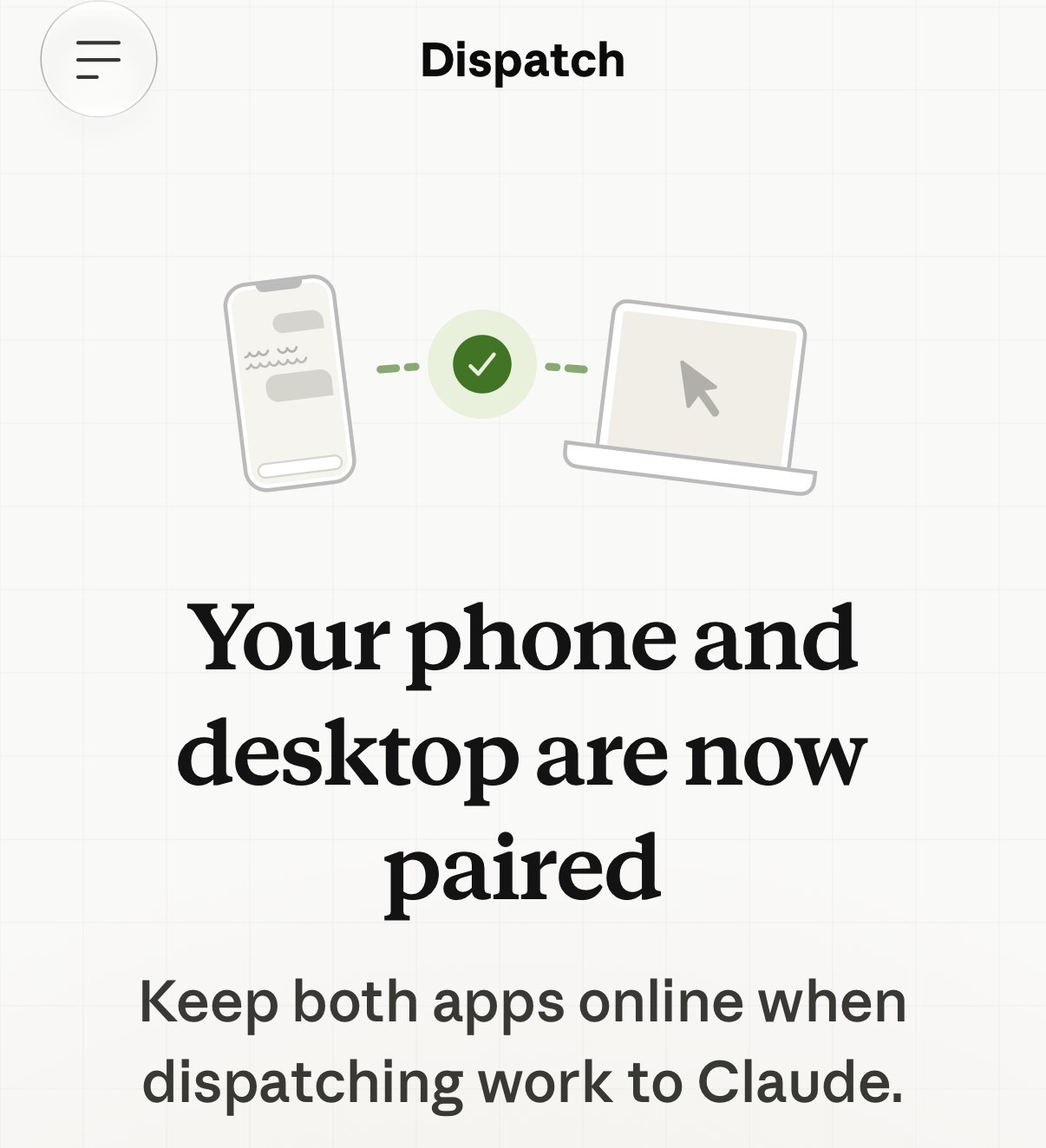
Dispatch lets you send a task from the Claude mobile app to Claude Desktop running on your computer. You pair the two by scanning a QR code, and from then on Claude can read and edit your local files, call your connectors, and, through computer use, operate your desktop apps the way you would. You can text Claude from the grocery store and come home to finished work (which is the appeal, and also the risk).
I started researching Dispatch in August, when the warnings about it were scattered across half a dozen support articles. By the time I sat down to publish, Anthropic had changed enough that the post needed rewriting. Here’s what changed, what Dispatch can actually reach, and what to do if it’s still on an account you use.
What has Anthropic changed about Dispatch?
This timeline comes from Anthropic’s own pages.
- March 23, 2026. Anthropic introduced Dispatch alongside a computer use research preview for Pro and Max subscribers.
- July 7, 2026. Anthropic announced it was moving Cowork to the cloud, so tasks could keep running without a device online.
- August 2026. Anthropic extended its Compliance API to Cowork and Claude Code sessions on Enterprise plans, giving admins transcripts of work done on employees’ computers.
- October 6, 2026. New Cowork tasks on Pro and Max plans started running in the cloud by default, and the “Only on your computer” setting was removed.
- October 2026. Anthropic began merging Cowork and chat into one Claude experience, starting with Pro and Max. Around the same time, the Dispatch documentation narrowed which accounts can use it.
Which accounts can still run Dispatch?
Anthropic’s Dispatch help article describes the feature as “in limited beta on some Pro and Max plans, and it isn’t available to new users,” and its developer documentation says Dispatch “is not available on Team or Enterprise plans.”
The clearest signal is the line for existing users: “If you already use Dispatch, you can keep using it for now.” The same article tells anyone who doesn’t see Dispatch to “use Cowork in the cloud instead of the pairing flow.”
“For now” also means Dispatch can outlast the plan rules around it. On October 29th we saw it turned on and working on a Team plan account, the plan the developer documentation says can’t have it. If you run a Team plan, don’t assume the documentation describes what your members have. Check the accounts themselves.
What can Dispatch reach once it’s paired?
Anthropic says it plainly on the pairing screen in Claude Desktop, right above the button.
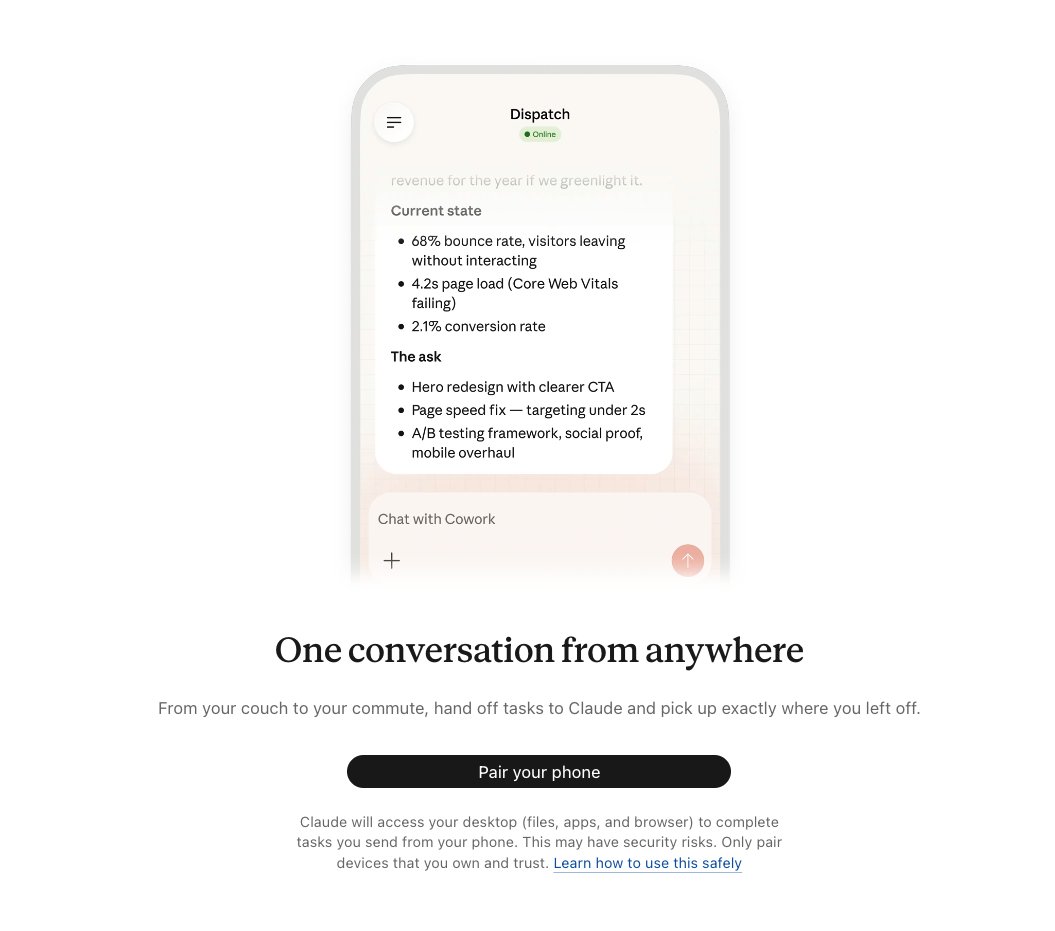
The screen’s “Learn how to use this safely” link goes to Anthropic’s general Cowork safety page, which doesn’t mention Dispatch. The Dispatch-specific guidance lives in a separate help article, which describes the risk precisely: “Giving a mobile AI agent remote control of a desktop AI agent creates a chain where instructions from your phone can trigger real actions on your computer.”
The part that matters most is computer use. Cowork runs code in an isolated virtual machine, but Anthropic is direct that “Computer use has no sandbox between Claude and your applications.” Its safety guidance adds that with computer use, Claude “clicks, types, and navigates your screen directly, without the permission checks that gate other Cowork tools.” Security researchers have shown prompt injection working against Claude’s computer use and Cowork more than once (Johann Rehberger, HiddenLayer, and PromptArmor, among others).
Anthropic’s safety guidance names the two conditions an attack like that needs: “Claude can read information outside your trusted boundary, and can perform actions that could compromise the user.” Dispatch’s welcome message suggests a first task that meets both.
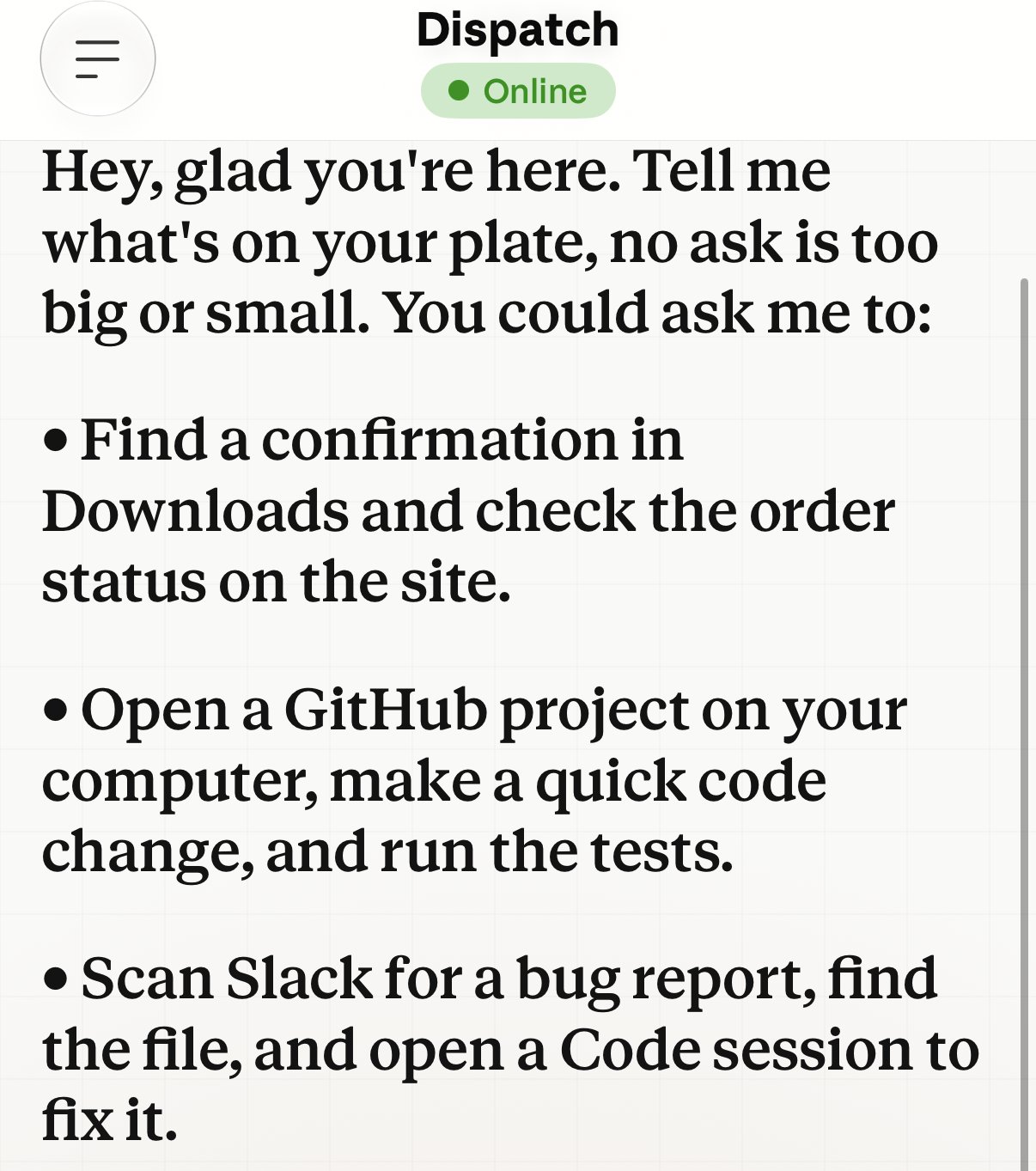
A bug report in Slack is text someone else wrote. Asking Claude to read it and then change code on your machine connects untrusted input to a consequential action in a single step, on a computer holding your SSH keys, browser sessions, and signed-in consoles. That’s the same class of gap that let another agentic Claude deployment wipe a production database in nine seconds.
🛡️ Responsible AI Note: Before you enable any agentic AI tool, run a formal AI Impact Assessment (ISO 42001 A.6.2) that explicitly accounts for the execution environment. “It runs in a sandbox” and “it runs on my primary machine” are two different risk postures, even when the vendor is the same.
What do Anthropic’s compliance documents say about Dispatch?
Four things stand out for anyone responsible for compliance at a small or mid-size firm.
- It’s outside the HIPAA agreement. On a HIPAA-ready Enterprise plan, Cowork running locally in Claude Desktop can now be covered by Anthropic’s Business Associate Agreement once the Primary Owner applies a separate HIPAA configuration. Anthropic’s BAA documentation lists Dispatch as not covered, and as unavailable once that configuration is applied.
- There’s no admin transcript. The Compliance API now returns transcripts of Cowork sessions on employees’ computers, on Enterprise plans. Dispatch isn’t offered on Enterprise, so its session history stays on the user’s device.
- Monitoring sees half of it. Team and Enterprise owners can stream Cowork activity through OpenTelemetry, and that includes the Cowork tasks Dispatch starts. The same documentation says it doesn’t include the Code sessions Dispatch starts, which is where changes to your code and files happen.
- Screens are retained. Computer use sends screenshots to Anthropic, which deletes them within 30 days by default, and those screenshots can include whatever was visible at the time.
Anthropic built a HIPAA path for Cowork and left Dispatch out of it. I’d read that as Anthropic’s own risk assessment of the feature.
What’s taking Dispatch’s place?
Three features now cover what Dispatch did, and each one comes with documented admin controls.
| Dispatch | Cowork in the cloud | Computer access | Claude Code Remote Control | |
|---|---|---|---|---|
| What it does | Phone sends a task to Claude Desktop on your computer | Phone or web starts a task that runs on Anthropic’s servers | Lets cloud tasks, web, and mobile reach your computer’s files, apps, and browser | Phone or browser steers a Claude Code session running on your computer |
| Plans | Some Pro and Max, closed to new users | Pro, Max, Team, Enterprise | Enterprise, granted through custom roles | Pro, Max, Team, Enterprise |
| Admin control | An “Enable Dispatch” switch in Organization settings, not yet in the admin documentation | Organization toggle on Team and Enterprise | Granted or withheld per role | Owner toggle, optional Trusted Devices |
| HIPAA agreement | Not covered | Not covered | Unavailable with the HIPAA configuration | Not covered |
The ability to reach your computer from your phone is staying. What’s changing is how it’s governed: the newer versions are written up in Anthropic’s admin documentation, while Dispatch’s own admin switch appears only in the product, turned on unless someone turns it off.
What should you do if you still have Dispatch?
Treat it as a decision, because right now it’s probably a leftover.
- Decide whether you still need it. If you mostly send research, writing, or file tasks from your phone, Cowork in the cloud likely covers it, with the controls your organization already manages.
- If you keep it, tighten it. Anthropic’s Dispatch guidance asks you to connect only “if you’re comfortable with what they could do, not just what you intend them to do.” Connect a single working folder, keep banking, healthcare, and government apps away from computer use, and quit Claude Desktop when you’re away from your desk.
- Find the off switch before you need it. Anthropic’s Dispatch article asks you to “know how to quickly disconnect or revoke access,” but it doesn’t say how. The switch is in Claude Desktop, under Settings, then Cowork, then Dispatch. In our testing, turning it off stopped the phone from reaching the computer right away. The same page lists every computer that can run Cowork tasks for you, with the date it was added and when it was last seen.
- Add it to your AI inventory. Record that Dispatch is on the account, who uses it, what it can reach, and a review date.
- If you manage an organization, check the admin switch. Organization settings has an “Enable Dispatch” switch under Cowork, even though Anthropic’s admin documentation doesn’t describe it. Its own description says Cowork “can access files, apps, and websites on their computer without direct supervision.” That phrase is Anthropic describing its own feature, and that feature is on until someone turns it off.

While you’re in Organization settings, check two defaults that apply to Cowork generally. Anthropic’s admin documentation says new Cowork tasks start in “Automatically approve” mode by default on Pro, Max, and Team plans; the setting now lives under Capabilities, in Tool approvals, so turn it off there if you want “Manually approve” as the default. And “Require trusted devices” for remote sessions is off by default.
For regulated firms, the decision usually sorts into three tiers. It lines up with joint guidance from CISA and international partners, which advises organizations to “Begin with agentic AI use cases that are low-risk and non-sensitive.”
Personal productivity, no client data, no production systems.
Use Dispatch if you already have it and learn the tool here, where the risk surface is smallest.
Internal workflows on your own files, no regulated data.
Usable with compensating controls: an OpenTelemetry pipeline before you turn it on (knowing it won't see the Code sessions Dispatch starts), a written rule on whether personal AI subscriptions may run on work devices, sensitive apps excluded from the allowed list, and a defined session-review cadence.
Client data, HIPAA/PCI/FINRA-regulated information, production infrastructure, or anything published under your firm's or a client's name.
Keep it off, and write down that you decided to. A documented "no" is as much a governance artifact as a documented "yes."
🛡️ Responsible AI Note: ISO 42001 expects your AI inventory to reflect what’s actually in use (A.6.1). A feature that’s closed to new users can still be running on existing accounts, so give retiring features their own row, with an owner and a date to revisit, until they’re gone.
What does Dispatch teach about governing AI features?
Claude is a family of features, and each one comes with its own plans, admin controls, audit trail, and HIPAA status. Dispatch shows how much those rules can differ inside one product, and how little notice comes when they change. Every update here came through a launch post, a news report, a handful of help articles, and a developer page.
So governing AI tools is a habit: check the documentation for the features you use, check what’s actually running on your accounts, and write down the date you checked. The goal is that every AI feature on your accounts is there intentionally. If the documentation and your account disagree, trust the account. It shows what Claude can do today, and the documentation only shows what Anthropic intends.
That’s the work we do at Violet Beacon. If you’d like help building an AI Use Policy that keeps up with changes like this, explore our services or read our Responsible AI Guidelines.
Key References
- Anthropic, Put Claude to work on your computer (blog, March 23, 2026)
- NBC News, Anthropic will make Claude Cowork available to users via the cloud (July 7, 2026)
- Anthropic, Compliance API coverage extends to Claude Cowork and Claude Code
- Anthropic, Use Claude Cowork on web, desktop, and mobile
- Anthropic, Claude Cowork and chat are one Claude
- Anthropic, Assign tasks from anywhere in Claude Cowork
- Anthropic, Claude Code Desktop documentation: Sessions from Dispatch
- Anthropic, Use Claude Cowork safely
- Anthropic, Let Claude use your computer in Cowork
- Anthropic, Use Claude Code (local mode) and Claude Cowork (local mode) on a HIPAA-ready Enterprise plan
- Anthropic Privacy Center, Business Associate Agreements (BAA) for Commercial Customers
- Anthropic, Monitor Cowork activity with OpenTelemetry
- Anthropic Privacy Center, What personal data will be processed by Computer use?
- Anthropic, Manage custom roles on Enterprise plans
- Anthropic, Continue local sessions from any device with Remote Control
- Anthropic, Use Claude Cowork on Team and Enterprise plans
- CISA, US and International Partners Release Guide to Secure Adoption of Agentic AI
- Johann Rehberger, ZombAIs: Claude Computer Use C2
- HiddenLayer, indirect prompt injection of Claude Computer Use
- PromptArmor, implement Claude Cowork securely
How AI Was Used in This Post
AI assisted with the research and drafting of this post, and Kate reviewed every claim against its source. The header image is AI-generated.
Frequently Asked Questions
Anthropic hasn't announced an end date. Its help center describes Dispatch as a limited beta on some Pro and Max plans that isn't available to new users, and says existing users can keep using it for now. Its developer documentation adds that Dispatch isn't available on Team or Enterprise plans. In our testing, it was still available on a Team plan account. Those changes point toward a feature being wound down, so plan as if it may go away.
For regulated client work, Anthropic's own documentation says no. Its HIPAA documentation lists Dispatch as not covered, and Dispatch sessions fall outside the Compliance API that gives Enterprise admins session transcripts. For personal productivity with no client data, it's a reasonable tool to learn on. For HIPAA-, PCI-, or FINRA-regulated data, keep it off.
For most people, Cowork in the cloud: you start a task from the Claude mobile app and it runs on Anthropic's servers, reaching your computer through Claude Desktop only for the folders you've connected. Enterprise plans also have a Computer access permission that admins grant through custom roles. For Claude Code users, Remote Control lets you keep steering a session from your phone.
Both let you work from your phone while Claude runs on your computer. Dispatch takes new tasks you send from the Claude mobile app and runs them through Claude Desktop, while Remote Control lets you keep steering a Claude Code session you already started at your computer. Remote Control is documented for Pro, Max, Team, and Enterprise plans, with an Owner toggle and optional Trusted Devices. Neither is covered by Anthropic's HIPAA agreement.
Building an AI Use Policy that covers agentic tools?
Our Responsible AI Guidelines give you a grounded starting point for deciding which AI features your team keeps, restricts, or retires.
Read the Responsible AI GuidelinesExplore Related Services
Related Posts

AI Governance Is Arriving Through Procurement
AI governance is arriving through supplier contracts, not statutes. Fannie Mae's August 6 mandate shows regulated manufacturers what's coming their way.
Read article →
Nine Seconds to Wipeout: What the PocketOS Database Deletion Teaches Us About Agentic AI Governance
The PocketOS database deletion shows model alignment alone will not protect production. How ISO 42001 maps to the failure chain, and what to fix first.
Read article →
Not Every AI Failure Is a Crisis: Scoring Risk by Real-World Harm
How a four-part AI jailbreak severity framework maps to NIST AI RMF and ISO 42001, and gives your team a defensible way to size real AI risk.
Read article →